CTE - Engaging_Online_Students

Engaging Online Students for Career/College Readiness

Engaging Online Students for Career/College Readiness

About the Author: 

“Learning for a life worth living” is the teaching emphasis of Les Dlabay, Professor of Business, Emeritus, at Lake Forest College in Illinois. He has authored or has adaptations of over 40 textbooks in the United States, Canada, India, and Singapore, including Principles of BusinessInternational Business, and Business Finance with National Geographic Learning, a part of Cengage. In addition, he has taught more than 30 different courses in high school, community college, university, teacher preparation, and adult education programs. Three times he has been honored with “The Great Teacher” Award at Lake Forest College. Dr. Dlabay has presented more than 300 workshops and seminars emphasizing interactive learning strategies, team projects, and field research activities. His “hobbies” involve a cereal package collection from more than 100 countries, and banknotes from 200 countries, which are used to teach economic, cultural, and political aspects of global business.

Please select the topics you would like to recieve notifications about.


Yes, I'm over the age of 16. I want to receive important National Geographic Learning | Cengage updates and information. *

Ken_Curtis

Teaching World History Through Time Travelers: Engaging Themes and Activities for the High School World History Classroom

Teaching World History Through Time Travelers: Engaging Themes and Activities for the High School World History Classroom

National Geographic Learning and our authors bring the world into the classroom—and bring world history alive by talking about travelers through time, including National Geographic Explorers. Join author Ken Curtis as he talks about the appeal of teaching world history (whether it’s Advanced Placement World History on on-level high school World History) by sharing experiences of travelers from thousands of years ago — and today.

Ken R. Curtis, Ph.D.

Professor of History, California State University Long Beach

National Geographic Learning and our authors bring the world into the classroom—and bring world history alive by talking about travelers through time, including National Geographic Explorers. Join author Ken Curtis as he talks about the appeal of teaching world history (whether it’s Advanced Placement World History on on-level high school World History) by sharing experiences of travelers from thousands of years ago — and today.

In this webinar replay, you will learn:

jonathan-pease-Niy6KKRAu1Y-unsplash

Emerging Issues in Digital Citizenship

Emerging Issues in Digital Citizenship

Abigail Hess

Associate Product Marketing Manager • Career and Technical Education • National Geographic Learning | Cengage

If you google “Digital Citizenship Activities,” you’ll find thousands of videos, examples and suggestions. Use Google Scholar for the same search, and you’ll be practicing just a small piece of the World-Wide-Web-sized library of skills that relate to Digital Citizenship. While there are many, many sets of standards out there created to ensure that graduating students will be able to responsibly and safely use technology, it should go without saying that what we define as “Digital Citizenship” will change constantly as our relationship to technology changes and the availability of new technologies arrive each day. How and what should we be teaching digital natives, who are raised on iPhones and iPads and are often more apt to fix a technology issue in the classroom before tech support arrives at your door?

  1. The changing Course 1927 to Now: Typewriting to Keyboarding to Computing to Computer Science
  2. “Digital Native” does not Mean Students are Digital Literate
  3. Browse Curriculum to Engage Students in Digital Citizenship
  4. Explore National Standards Related to Digital Citizenship

1. The Changing Course 1927 to Now: Typewriting to Keyboarding to Computing to Computer Science

Our sister company, Southwestern Publishing began with the first edition of 20th Century Touch Typewriting over in 1927; a typewriting practice text that transformed to Century21 Computer Skills and Applications in the year 2019. This is a course that transformed from learning to use a typewriter to learning to key on a QWERTY keyboard and expanded to using databases, word processing systems, spreadsheets and presentations, as well as conducting internet research, using technology to problem-solve through career-related cases and basic hardware/software skills. In the last decade, keyboarding courses have moved down from high school to middle school and elementary as one-one schools require students to complete state testing online.

Instead, high school students are more apt to take courses like AP Computer Science Principles, which has grown 184% since its launch in 2016 (College Board). Or they are taking courses in Graphic Arts learning to use digital media-based technologies. The Arts, A/V Technology & Communications career cluster has grown more than any other Career Cluster of the last 10 years with the exception of STEM (Perkins Web Portal). Long-time CTSO organizations like BPA, DECA and FBLA which have offered word-processing-based competitions for the last 10-20 years, are now adding new competitive areas that reflect the increasing use of technology in business like:

  • • MIS (Management Information Systems)
  • • Computer Networking & Security
  • • Object-Oriented Programming
  • • Advanced Databases
  • • 3-D Animation
  • • Computer Problem-Solving

Code.org has done an amazing job tracking state policy and data on students taking computer science courses with a study showing 90% of parents want their children to study computer science while only 45% of high schools even offer it (Code.org).  And this organization as well as others are promoting newly updated CSTA Computer Science Standards for K-12 which goes beyond traditional Business apps like Microsoft Office or basic hardware—“What’s a mouse? A hard drive? A processor? Bits and bytes?”—and software—“What’s an operating system? Productivity and business software?”—to introductory programming, web development, digital ethics, networking, and IT security skills.

Using the CSTA standards, even kindergarteners are engaging in computational thinking. First grades are building programs. Second graders test and debug code—even if that’s with a block-based programming language like SCRATCH, students will be ready to dive deeper and start working with object-oriented languages by middle and high school. However, just because students are much more likely to be familiar with a variety of devices and have started computational thinking doesn’t mean that they come into middle school with the skills to use productivity tools like Google Docs, or Microsoft Office software appropriately for school, college and future careers.

2. “Digital Native” does not Mean Students are Digital Literate

Cengage CAREs (Cengage Computing Analytics and Research in Education) is an ongoing study to advocate for the need for computing and digital literacy courses and found that even today the average score of students entering college on a foundational computing exam was a 44%. This research was conducted in light of the growing trend of administrators in college and high school removing computing courses as mandatory requirements because of the perception that students were already coming to class with a vast experience and handle on new technologies.

While studies have shown that younger generations can type with two thumbs, faster on smart phones than older generations on keyboards may be even more ergonomic issues with the neck and shoulders and could lead to more grammatical errors or unprofessional communication (Baca, Washington Post). While students may grow up using mobile games, social media and surfing the internet, they still need to be taught how to use the power of the web responsibly and how to find reliable information (Sanchez). More and more teachers find that as students rely more and more on the internet for finding information, it can easily become method to find a correct answer and move on, rather than as a resource to build an argument and a means to learn beyond the current task at hand.

Additionally, students will not learn the skills they need to be successful for careers from personal technology use alone. Burning Glass Technologies uses big data to track real-time industry trends and required or recommended skills for careers across the globe from millions of job postings. Consistently the most sought for skills? Soft Skills and Spreadsheets. Two areas students will not learn on their own. Cengage CAREs research found that 86% students entering college were aware that business application skills like Microsoft Office are important to being successful in the work place and 87% had only ever learned Microsoft Office applications inside the classroom. Out of these same students, far less than 45% could complete basic spreadsheet tasks like merging and centering sells, using a SUM function, or building basic charts.

Beyond Microsoft Office, Burning Glass has found that the demand high-growth skills across many job openings is including a need for understanding of: Artificial Intelligence, Machine Learning, Internet of Things, Natural Language Processing, Cloud Solutions, and Data Visualization—topics that students aren’t apt to discover on their own time.

3. Browse Curriculum to Engage Students in Digital Citizenship 

In a recent survey to hundreds of Computing teachers in higher ed and high school, we found that the key skills that teachers are considering adding to their digital literacy courses replicates the findings of Burning Glass with: Cloud Computing, E-Commerce, Artificial Intelligence, Big Data Analysis and Digital Ethics. Because of this, all Microsoft Office 2019 MindTap courses and our Technology for Success digital literacy title will include 3 NEW modules for the fall in addition to basic web development, software development and programming, networking and security, which have been added in recent years:

  • • NEW MODULE 12: Digital Transformation: Cloud, E-commerce, and AI 
  • • NEW MODULE 13: Databases (with Big Data Analytics)
  • • NEW MODULE 14: Digital Ethics and Lifestyle 

In summary, Digital Citizenship is not a result of a generation of Digital Natives. While students are entering middle and high school with new skills and a familiarity with digital devices, they are not learning crucial skills like productivity tools and business applications needed for academic and professional life outside of the classroom. They are not learning how to utilize technology to safely and responsibly research information and explore for solutions to real-world problems rather than answers to a worksheet. The future digital citizen will most likely still need to be able to utilize productivity software, practice internet safety and understanding the basics of hardware, software and networking. However, more and more jobs, entrepreneurial activities, and consumer intelligence will also require computational thinking, programming, web design, data analytics, e-commerce, IT security, digital media and artificial intelligence.

Request review access to online and print curriculum here.

While that is definitely way more than what the average student has learned in the past and today, examples are everywhere—from the way we research, to the way we shop, play and communicate with our friends and family. And you’ve got support! Organizations like LaunchCS offer training for even elementary teachers on introducing these crucial skills. Code.org hosts weekly webinars for CS inspiration and training. More and more states are introducing Computer Science standards and greatly increasing funding for teacher training and professional development and teachers interested in using online curriculum with virtual practice can always receive live trainings from Cengage Customer Success Specialists. Find your contact here.

Learn more about curriculum available for computing and information technology here.

4. Explore National Standards Related to Digital Citizenship

In addition some of the standards and trends already mentioned in this post, feel free to explore national standards that consider digital literacy skills that may be beneficial to graduate true digital citizens below.

Common Career Technical Core

Common Career Technical Corse standards meet the need of setting a high bar for CTE programs to graduate students who have mastered “Career Ready Practices” that would benefit any chances for employment in any industry across the 16 National Career Clusters. They are developed from a group effort from the educational sector, academic sector and industry. Including life skills like personal Health and financial well-being to ethical considerations and professional communication skills, the CCTC also requires that students learn to use technology “to enhance productivity.” These standards focus on students being able to use professional software and programs to solve real-world problems while understanding how to use the safely and ethically. These standards also acknowledge that technology and it’s uses change all the time and having the ability to be flexible and to be able to learn the value of new technologies is key.

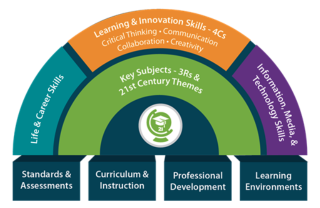
Partnership for 21st Century Skills

Partnership for 21st Century skills framework also brings together professionals, educators, and researchers to create standards for a successful life and career after graduation. This framework incorporates Life & Career Skills, Learning & Innovation Skills, and Information, Media & Technology Skills, including:

  • • Information Literacy—accessing/evaluating, and using/managing information found online effectively
  • • Media Literacy—analyze existing media and create effective media for a variety of uses
  • • ICT (Information, Communications, and Technology) Literacy—use a variety of technologies effectively to research and/or communicate

IC3 Certification

The IC3 Digital Literacy Certification is extremely popular for high school students as it is designed to test introductory technology skills that are needed to be a successful digital consumer and employee across many industries. Endorsed by ISTE, SkillsUSA and the Global Digital Literacy Council, many CTE students take the exam to count as an industry aligned credential. The current Global Standard 5 version of the certification includes 3 exams focusing on:

  • • Computing Fundamentals—understanding different types of digital devices and their uses, hardware/software, basics of file usage, cloud computing and security.
  • • Living Online—responsible use of the internet, email and social media, and an understanding of online communication tools like online conferencing and streaming.
  • • Key Applications—introductory skills for Microsoft Word, Excel, Access and PowerPoint; not as comprehensive as a Microsoft Office Specialist or Expert certification on the software.

*Learn more about the MindTap course for IC3 Certification here or request review access.

CSTA K-12 Computer Science Standards

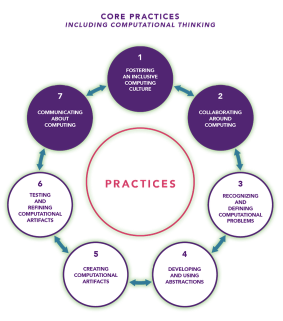
Developed by computer science teachers in conjunction with CSTA teachers and administrators, members of code.org and other policy groups with the goal of bringing computer science education to all K-12 students. These standards go well beyond the basics of internet and software safety and ethics that digital citizenship usually entails, and expands what we consider to be crucial technology skills to a new core discipline. 7 Core Practices that students apply in every grade through computer science include:

  1. Fostering an inclusive computing culture
  2. Collaborating around computing
  3. Recognizing and defining computational problems
  4. Developing and using abstractions
  5. Creating computational artifacts
  6. Testing and refining computational artifacts
  7. Communicating about computing

Learn more about curriculum available for computing and information technology here.

Imagine Tomorrow

Tomorrow will not look like today. The way you teach, connect and engage students will continue to evolve. Whether you are continuing distance learning or heading back to classrooms, or a hybrid, we are here to help support you: curriculum, digital support, technical support, and professional training. National Geographic Learning is ready to help your classroom prepare for tomorrow.
Nancy_Frey

What do we mean by “Rigor”? Using Challenging Texts in Responsive Ways

What do we mean by “Rigor”? Using Challenging Texts in Responsive Ways

Students need to read, discuss, and compose complex texts in order to meet content standards. But grade-level texts may not be accessible, at least independently, for every child. Join author and researcher Nancy Frey for a discussion of the nature of challenging grade-level texts, and methods for making ensuring that all students benefit.

Nancy Frey

Professor at San Diego State University and author

Students need to read, discuss, and compose complex texts in order to meet content standards. But grade level texts may not be accessible, at least independently, for every child. Join author and researcher Nancy Frey for a discussion of the nature of challenging grade level texts, and methods for making ensuring that all students benefit.

In this webinar replay, you will learn:

biegun-wschodni-ZloDJXzcMGA-unsplash

15 Effective Online Learning Activities for Workforce and College Readiness

15 Effective Online Learning Activities for Workforce and College Readiness

Les Dlabay

Professor of Economics and Business, Emeritus • Co-author of Principles of Business

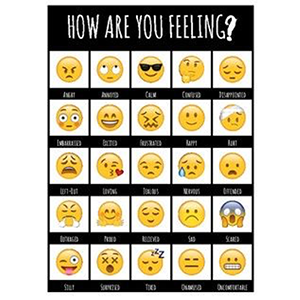
Online learning is new to most of us and may make us feel excited, challenge, worried, stressed, unsure and, really, the full range of emoji faces on our phones. Most educators are trained to teach in face-to-face environments because that may be the best way to teach. Hybrid teaching environments incorporate useful technologies to enhance the in-class experience, provide instant feedback and ease the work of grading, but even hybrid masters may have trouble connecting with students when they are online at home. By not being in the classroom for an extended time period, how can CTE teachers make sure that students are thinking about future careers and building soft skills: critical-thinking, problem solving, professionalism, communication and teamwork skills while they are alone?

Author Les Dlabay, who has taught business courses both in-class and online is offering a collection of advice and example activities for engaging students with college and career ready skills online with activities aligned to the Oh…D-E-A-R model he introduced in his webinar Career Development and Workforce/College Readiness for High School Students. 

Oh…D-E-A-R! framework for planning and implementing learning activities with examples:

  • • D – Deliver
    • E – Engage
    • A – Assess
    • R – Reinforce

Download Activities & Tips to deliver, engage, assess and reinforce online for the following topics:

  1. Workforce/College Readiness
  2. Human-Centered Design
  3. Community Mapping
  4. Virtual Field Trips
  5. Vocabulary Scavenger Hunt
  6. Global Product/Package Analysis
  7. Personal Finance & Money Management
  8. Fintech
  9. Supply Chain/Value Chain
  10. Gig, Sharing, and Circular Economies
  11. Problem Solving/Case Analysis
  12. Simulated Interview
  13. Online Team Project
  14. Class “Discussion” Responses
  15. Online Guest Speakers

Plus, metrics for success, successful student actions, and additional activities!

Student actions for successful online learning — both the teacher and student may have to fight to stay organized, engaged and on task while working and learning from home. These tips benefit online learners and teachers to end the day feeling accomplished and de-stress.

  1. Establish a routine with some variation; mix things up to keep alert and engaged
  2. Create a daily checklist with time slots and time limits to monitor progress
  3. Schedule time to relax, exercise, connect with others, and for recreation and entertainment
  4. Plan the day around quiet hours, and your productive time
  5. Create a productive work setting with proper lighting, equipment, supplied, materials, and comfortable seating
  6. Seek assistance and guidance from others
  7. Plan meals for balance between forgetting to eat and snacking all day; vary the work setting to avoid boredom
  8. Avoid social media activities not related to class

Click here to download 60+ pages of Effective Online Learning activities for College/Career Readiness.

*Access the recording of Les Dlabay’s webinar here.

About the Author: 

“Learning for a life worth living” is the teaching emphasis of Les Dlabay, Professor of Business, Emeritus, at Lake Forest College in Illinois. He has authored or has adaptations of over 40 textbooks in the United States, Canada, India, and Singapore, including Principles of BusinessInternational Business, and Business Finance with National Geographic Learning, a part of Cengage. In addition, he has taught more than 30 different courses in high school, community college, university, teacher preparation, and adult education programs. Three times he has been honored with “The Great Teacher” Award at Lake Forest College. Dr. Dlabay has presented more than 300 workshops and seminars emphasizing interactive learning strategies, team projects, and field research activities. His “hobbies” involve a cereal package collection from more than 100 countries, and banknotes from 200 countries, which are used to teach economic, cultural, and political aspects of global business.

Resources and help for those affected by COVID-19

We’re monitoring the spread and impact of Coronavirus (COVID-19) on K-12 schools across the country. If you’ve been affected by Coronavirus and are experiencing a school closure, we’ve collected resources for educators that may help.
Abby_Chris

Future-Ready Curriculum and Online Solutions in Career and Technical Education

Future-Ready Curriculum and Online Solutions in Career and Technical Education

This webinar replay features a demonstration and discussion of emerging online solutions across the career clusters in career and technical education. See how MindTap, the online solution for CTE courses, offers hands-on practice, simulations, up-to-date content and certification prep for new and forthcoming titles in Marketing, Business, Finance, Information Technology, Adobe Software, Construction Trades, Automotive, and Health Care.

Abby Hess

Associate Product Marketing Manager, Career & Technical Education, National Geographic Learning

Chris Jaeggi

Product Director, Career & Technical Education, National Geographic Learning

This webinar replay features a demonstration and discussion of emerging online solutions across the career clusters in career and technical education. See how MindTap, the online solution for CTE courses, offers hands-on practice, simulations, up-to-date content and certification prep for new and forthcoming titles in Marketing, Business, Finance, Information Technology, Adobe Software, Construction Trades, Automotive, and Health Care.

In this webinar replay, you will learn:

Laurie_Bill_AnnMarie

Fostering meaningful mathematics: Learning through a virtual experience!

Fostering meaningful mathematics: Learning through a virtual experience!

Student engagement is essential for building deep math conceptual understanding and fluency. Opportunities to explore, practice, and apply concepts help guide students from surface-to deep-level learning. How can educators achieve this effectively through a virtual classroom model? Facilitators should strive to mitigate logistical challenges while maximizing collaboration and interaction from teacher to student, as well as student to student. Hear from a panel of educators about how this balance will make math content come alive for today’s learners.

Laurie Boswell, Ed.D

Award-winning math teacher, trainer, and Big Ideas Math® author

Bill Barnes

Chief Academic Officer, Howard County Schools, Maryland

AnnMarie Varlotta

Math Instructional Support Teacher, Howard County Schools, Maryland

Student engagement is essential for building deep math conceptual understanding and fluency. Opportunities to explore, practice, and apply concepts help guide students from surface-to deep-level learning. How can educators achieve this effectively through a virtual classroom model? Facilitators should strive to mitigate logistical challenges while maximizing collaboration and interaction from teacher to student, as well as student to student. Hear from a panel of educators about how this balance will make math content come alive for today’s learners.

In this webinar replay, you will learn:

mike-benna-SBiVq9eWEtQ-unsplash

Students Become Real Scientists with Citizen Science Projects

Students Become Real Scientists with Citizen Science Projects

Mark Hoffman

Senior Product Marketing Manager • K-12 Science/Disciplinary Literacy • National Geographic Learning | Cengage

Here are two things that are still taking place normally in this extraordinary time of pandemics and social distancing:

  1. Kids still need new activities and learning opportunities to stay happy and engaged, and
  2. Scientists still need new data collected to continue their research. 

Why not combine these two needs for the benefit of kids AND science!? All from your own home or a visit to a nearby park or open space.

April is Citizen Science Month and none of us will have experienced an April quite like this one. Regardless of what’s happening in the news and at home, the natural world outside is continuing as normal. Spring flowers are emerging, bugs and other wildlife are waking up, and the stars and moon still appear every night. And scientists need help from as many people as possible to observe and report data on all sorts of interesting phenomena. Check out some opportunities below to have your students or your own kids become real scientists and contribute to real science research. It’ll help them and the science community at large!

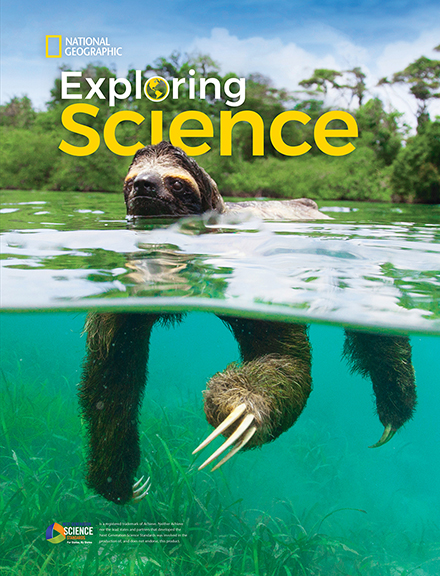
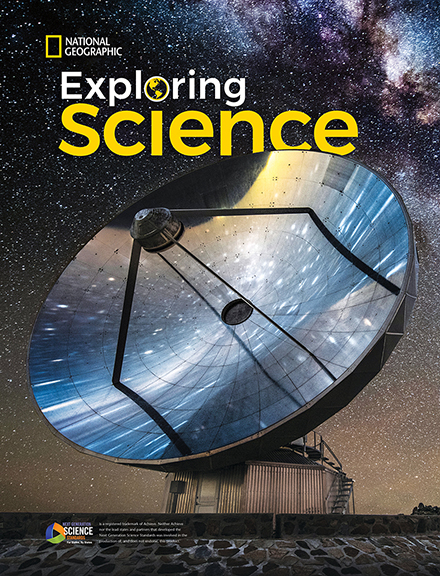
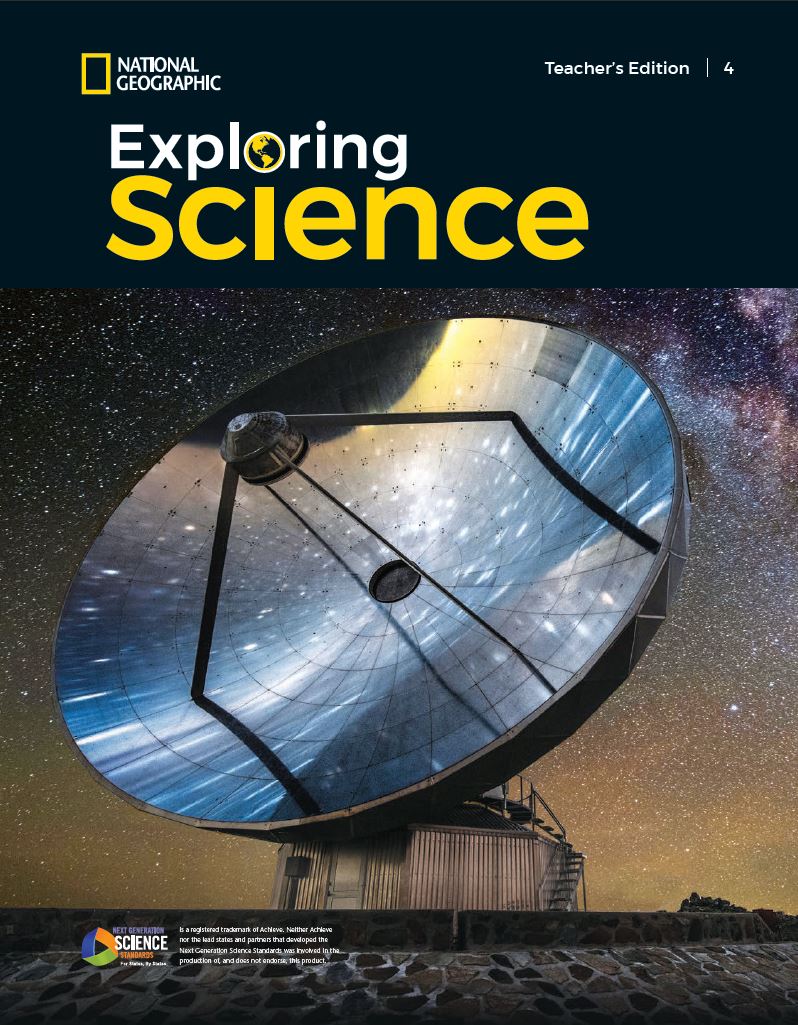
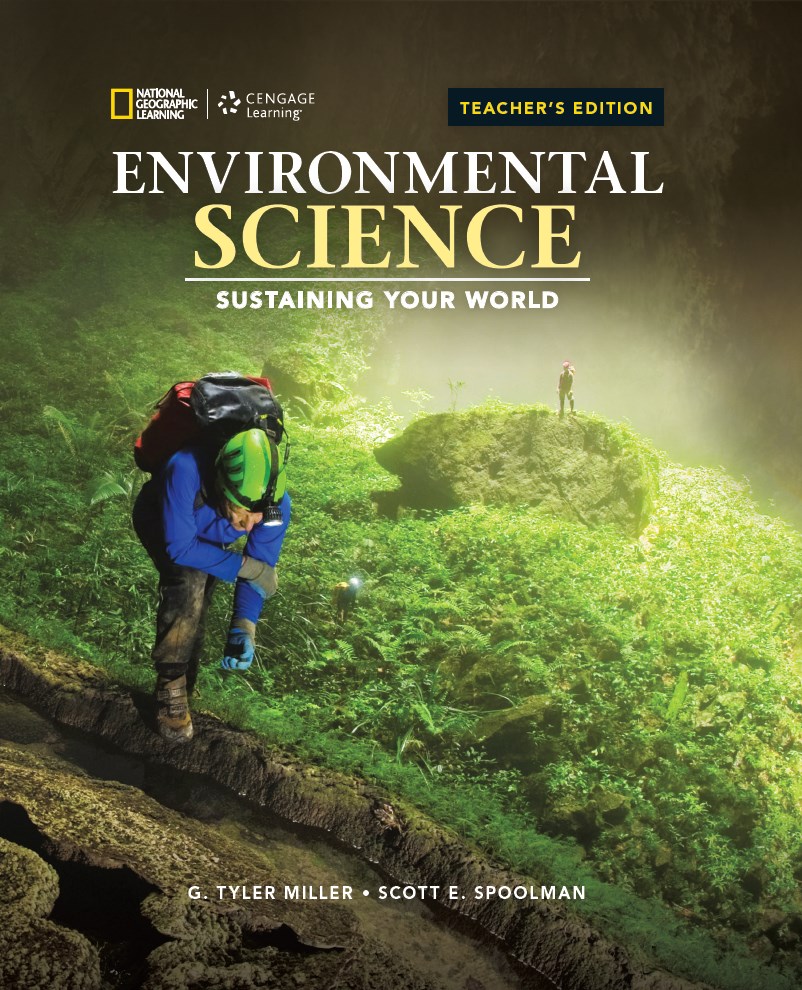
A few of our own National Geographic Learning programs include Citizen Science Projects and ideas for elementary and high school students. See below for links to free lessons taken from Exploring Science for grades K-5 and Environmental Science: Sustaining Your World for high school that students can work on now.

Project BudBurst Student Pages
(excerpt from Grade 1 Exploring Science)

Project BudBurst Teacher's Edition Pages
(excerpt from Grade 1 Exploring Science)

Track Bird Life Student Pages
(excerpt from Grade 4 Exploring Science)

Track Bird Life Teacher's Edition Pages
(excerpt from Grade 4 Exploring Science)

Citizen Science: Of the People, By the People, For the People Student Pages
(excerpt from Environmental Science: Sustaining Your World)

Citizen Science: Of the People, By the People, For the People Teacher's Edition Pages
(excerpt from Environmental Science: Sustaining Your World)

The National Geographic Society’s Education group has a wonderful list of 24 Citizen Science Projects for you to consider that range from classifying galaxy shapes from images on your computer, observing and reporting on bird sightings in urban cities or anywhere else, and listening to frogs in any wetland area near you.

National Geographic also partnered with the California Academy of Sciences to create the iNaturalist App which lets anybody take a picture of any plant or animal, offers help in identifying the species, but also submits that data including time and location of the sighting for scientists to analyze.

These projects are so widely varied in subject and so flexible in their commitment of time (from a few seconds to take a picture in iNaturalist up to a few hours of observations) that there is surely something to interest any young scientist to make observations, learn about their environment, and potentially help scientists make some important new discoveries.

Here are a few other good online resources for finding a Citizen Science project that can engage adults and kids of all ages and advice on how these projects increase educational value.

Official Citizen Science Month Website – great starting place to learn what citizen science is, find a project, or start one of your own!

Citizen Science Toolkit – Great educator resource for integrating citizen science projects into classroom/school settings

How to Help Scientists Without Leaving Home – Atlas Obscura

Fairfax County Public Schools Citizen Science page

Unlocking the Educational Potential of Citizen Science – National Geographic Article

Resources and help for those affected by COVID-19

We’re monitoring the spread and impact of Coronavirus (COVID-19) on K-12 schools across the country. If you’ve been affected by Coronavirus and are experiencing a school closure, we’ve collected resources for educators that may help.
v2osk-1Z2niiBPg5A-unsplash

Strategies for Quickly Transitioning Courses to Online for K12 Schools

Strategies for Quickly Transitioning Courses to Online for K12 Schools

During this unprecedented time teachers, parents, and students have been challenged to continue the education process from their homes. This new distance learning challenge is one that takes time to adjust to but there are resources to help! In this virtual learning session Shawn Orr, Director of the Center for Innovation and Teaching Excellence Faculty and Communication Studies at Ashland University, and Jennifer Preising-Orr, Certified K-8 educator at Orrville City Schools in Ohio, will outline strategies for quickly transitioning courses to online for K-12 schools.

During this unprecedented time teachers, parents, and students have been challenged to continue the education process from their homes. This new distance learning challenge is one that takes time to adjust to but there are resources to help!

In this virtual learning session Shawn Orr, Director of the Center for Innovation and Teaching Excellence Faculty and Communication Studies at Ashland University, and Jennifer Preising-Orr, Certified K-8 educator at Orrville City Schools in Ohio, will outline strategies for quickly transitioning courses to online for K-12 schools.

In this session they will cover,

You can find a PDF of the slides for this presentation here. 

Resources and help for those affected by COVID-19

We're monitoring the spread and impact of Coronavirus (COVID-19) on K-12 schools across the country. If you've been affected by Coronavirus and are experiencing a school closure, we've collected resources for educators that may help.
underwater-photography-of-fish-3361052

Keep it Real, Keep it Relevant

Keep it Real, Keep it Relevant

Kristin Canterbury

Senior Events and Customer Outreach Manager • National Geographic Learning | Cengage

*Access the recording of Paul Battaglia’s webinar here

Opportunities to enrich student learning are everywhere! Teachers should feel empowered to use real-life, relevant materials and experiences to show students in grades 6–12 where mathematics exists daily. WATCH author and professor Paul Battaglia as he shares some of his favorite examples, shows how to find innovative resources that go beyond the four walls of a classroom, and demonstrates how to apply them on a daily basis.

Paul answered some additional questions below, sharing even more ideas and tips to engage students who will look forward to learning mathematics concepts and invigorate teachers during the instructional process.

Q: Can you adapt some of the activities you covered in the webinar to middle grades?

Absolutely! I think the middle grades provide a great opportunity to spark a child’s love for mathematics, or encourage them to look deeper. When searching for activities, don’t search too far. For instance, as I alluded to during the webinar, percent problems abound in our everyday life. Perhaps data can come from a local store ad. What if, when studying arithmetic sequences and mathematical patterns, we asked students to search for patterns in their yards or kitchen tile? When I think about geometric concepts, let’s say similar figures, I would love to see what I have around the house that I can bring in and we can compare. Never underestimate the power of money! Middle school students are at an age where they are beginning to really understand money basics. They certainly love having it. So, if we were talking about adding and subtracting decimals, what better way than to work with consumer spending! Have them track their spending for a day and then use THOSE numbers to work on the skill. As far as assessment, I think middle school students would love what we call “choice boards”.  Imagine if you were able to replace typical tests/quizzes with more “show me” activities. Show me you understand how to use and apply the skill!

Q: What are your favorite Twitter accounts to follow?

Sure, to name just a few: @BigIdeasMath, @TimGeoGebra, @FiveThirtyEight, @Desmos, @Forbes, and @mental_floss

Q: I’m curious about the activity you mentioned using a toy train for periodic movement. Can you tell me more about that?

Here’s what I used to get started (adapt as you see fit, depending on what you have):

  • • Train with transformer and tracks
  • • Measuring tape
  • • Timer

I use this as just one station in a “station rotation” when learning about the connection between sine and cosine graphs and real-world applications.

As far as the lab itself, here is the link to my document!

Q: Do you have suggestions for teaching Geometry virtually?  I have made my own videos, and it is a lot of work!

I agree – video creation can be a lot of work. Since you’ve made these, I would experiment with the flipped model a little more. In other words, keep making short, informative videos for the topics that you deem appropriate, and then capitalize on the time you free up by incorporating more of these real, relevant activities. There are so many options for Geometry. Typing in the phrase “planes above” in a Google search will yield real-time data for planes near your IP address. I have had students pick a plane (given the altitude and ground distance from a nearby airport) and then calculate missing distances along this three-dimensional triangle. For the study of Law of Sines/Cosines – I have provided students with a Google Earth map of our campus and then had them take specific measurements. They then follow this up by using the printed map to fact check their solutions and we also discuss error and possible reasons why our numbers were off. I’ve even done something similar when talking about parallel lines and transversals. A simple parking lot with diagonal lines would be great! Have you ever tried using a revolving door when talking about 180- or 360-degree rotations? Sports can certainly be a game-changer too! Suppose you were talking about triangular relationships – let’s say angle bisectors. If you have access to a soccer field, it would be neat to position one student as a goalie, one taking a penalty kick and then measure the distances between the ball, both posts on the soccer goal, and the goalie. The question to ask is, “will the goalie have to move further to block a shot at the left or right post?”

Q: Teaching students of a low-socioeconomic and low-achievement background, these types of critical thinking activities prove difficult. How do you bridge the gap between keeping it relevant and them shutting down because it’s stressing their brain?

If you ask anyone who knows me, they will tell you that my connection with my students takes precedent over everything else we do. Establishing that connection in the beginning of the year is the key to unlocking the level of difficulty I feel comfortable exposing my students to throughout the year. In order to bridge the gap between relevance and stress, I constantly check in on their lives in and out of school. I may set aside 10 minutes at the beginning of class and give them the floor to vent about what they’re feeling or experiencing. This has proved helpful in alerting me to some of the stressors they feel outside of my classroom, but inside the school building. This is how I learn about simultaneous deadlines, overly taxing practices or rehearsals, etc. The activities we talked about on the webinar can be taxing, for sure. Some of them are extremely challenging, mentally. For that reason – don’t feel like you have to start with these activities. Riddles and puzzles can be a great way to introduce the same critical thinking skills. Only then would I jump into the more challenging activities. In fact, I begin each school year with 2 days of riddles/puzzles/team-building/motivation. I made this shift about 12 years ago and haven’t looked back. Those two days are much like the launch of a space shuttle. I want to use the contagious back-to-school energy with reckless abandon, to motivate my kids and get to know them deeper. Only then do I introduce anything from the curriculum.

Q: How much do you weave in traditional exercise type problems in your class?  I am having a difficult time shifting from a traditional textbook to an experience-only online platform. 

I might go about this in two ways. If the lesson or topic allows for it, I would try the flipped model of instruction for dissemination purposes. This way, the students’ homework is to watch a short video explaining the basics. I would then use the classroom time for scaffolded practice and challenges. You can prepare a document with traditional exercises, increasing in level of difficulty. If you want to get the kids up and moving a bit more, I would suggest a station rotation model. In this model, the teacher has prepared 4 stations (for example). Each station serves a different purpose. In AP Calculus, I may have stations based on the makeup of the AP exam (no calc multiple choice, calc multiple choice, no calc free response, and calc free response). In Algebra or Precalculus, I might have one station that has typical practice problems, another that asks students to identify and correct a common error, and one station that involves an application of the concept. Feel free to reach out with further questions on this!

Q: Do you spend time teaching skills before you do these activities? Do you use lecture at all to do this?

It really depends on the concept. For instance, the brown bag activity we did has a lower barrier to entry for students in terms of the critical thinking involved. So, I used that as a motivational way to introduce the concept of a system of linear equations in two or three variables – somewhat of a tedious/higher level topic. But since the number of objects in the bags was a bit limited (I only had so many toys laying around my house), it was relatively easy for students to solve each system. Now, some students did use a traditional algebraic approach, which was exciting to see, and proved more efficient, but each student felt that they could solve each problem – specifically since the solution was quite literally at their fingertips! In other cases, I will have to use some other type of instructional method. Regardless, I try to stay away from an entire class of lecturing at all costs. The only direct instruction I offered before the Inc. money fact-checking activity was to model a problem or two involving continuous compound interest. That activity always proves challenging, primarily because high school students aren’t financial advisors. The conditional probability basketball activity came AFTER a traditional class where students learned about the concept and practiced problems involving conditional probability.

I’d love to talk more with all of you about any of these questions, and all things teaching! Feel free to reach out to me via social media, email, or on my website. We are all in this together for one purpose, to serve our students at the highest level possible!


Resources and help for those affected by COVID-19

We’re monitoring the spread and impact of Coronavirus (COVID-19) on K-12 schools across the country. If you’ve been affected by Coronavirus and are experiencing a school closure, we’ve collected resources for educators that may help.